Log in to your virtual machine
1. Create new folder Under C:\
2. Name Folder e.g. "Exchange"
3. Open up Folder and Create new Folder e.g. "DB01"
4. Repeat if you have mulitple drives to add (Skip is only adding one drive)
5. Open Server Manager, select Tools, and click Computer Management.

6. Under Computer Management select Disk Management.

7. Right click Disk 1 and click Online.

8. Now Right-click Disk 1 and select Initialize Disk.

9. Click OK.

10. Right click Unallocated volume and click New Simple Volume.

11. Welcome to new simple volume wizard, then click Next.

12. Select volume size and click next.

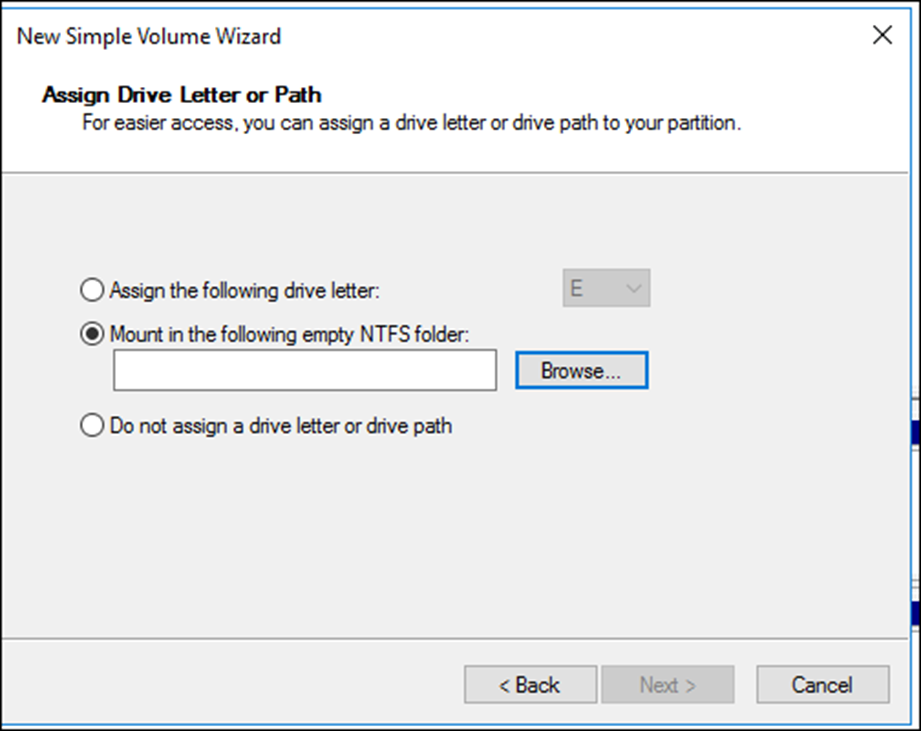
13. Click Mount in the following empty NTFS Folder and click Browse, and select the folder created in step 1.
14. Format the drive
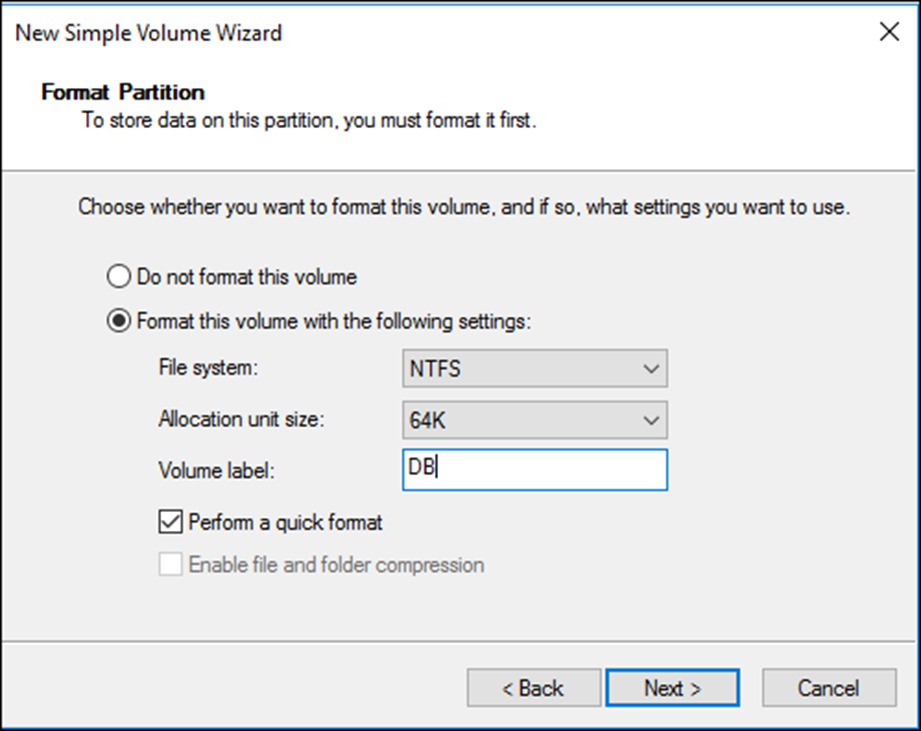
15. Click the Next button.
16. Click the Finish button.