In order to update your Offline Address Book so that it matches the Global Address Book, follow these steps:
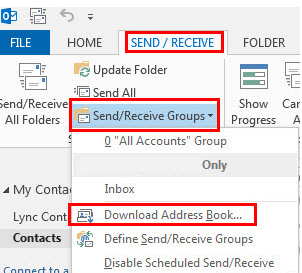
- Once you have your Outlook open, go to the "SEND / RECEIVE" tab. Select the option "Send/Receive Groups" and, from that menu, click on the "Download Address Book" option.
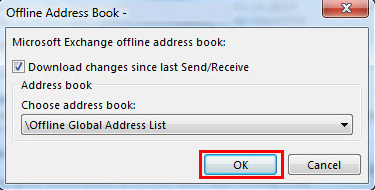
- A pop-up window will appear. Check to see that it matches the picture below and click on the "OK" button.
- As it is completing the update, this screen will appear.
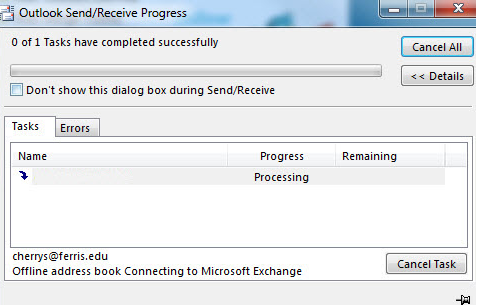
Once it is finished, your Offline Address Book should be updated to match the Global Address Book.